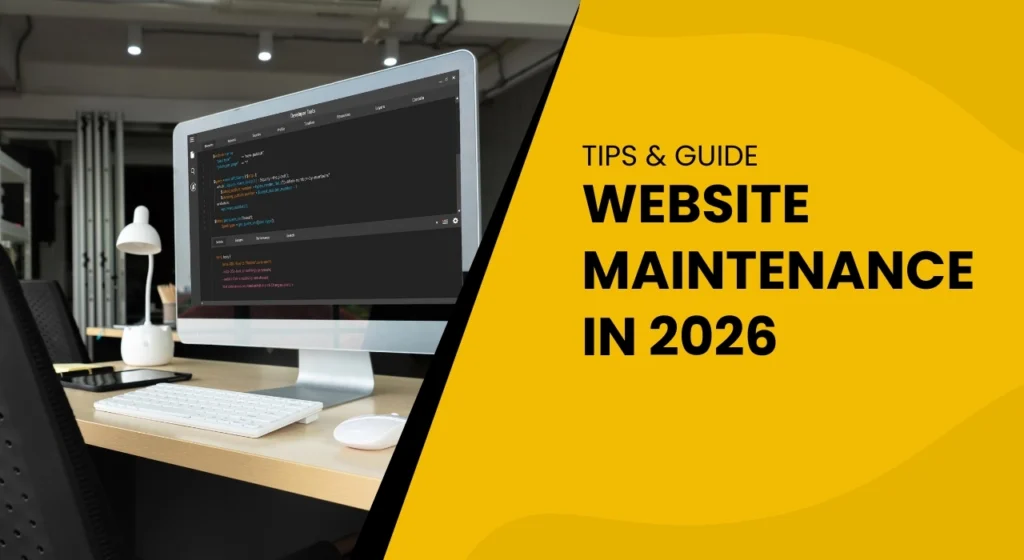
In today’s digital world, your website is not just an online brochure — it is the foundation of your brand, sales, marketing, trust, and customer experience. Whether you run a small business, an e-commerce store, or a large-scale enterprise website, regular website maintenance is essential for keeping everything secure, updated, fast, and optimized.
Many business owners build a website once and forget about it — but just like a car, a website needs consistent servicing. Without updates, security checks, backups, and performance improvements, your site can slow down, get hacked, lose Google rankings, or even crash unexpectedly.
This guide gives you the most complete explanation of website maintenance, covering:
- What is website maintenance?
- Why is it important for business growth?
- Benefits of regular updates
- Monthly, quarterly & yearly checklists
- Website maintenance costs in 2026
- Risks of not maintaining your site
- Who should handle website maintenance?
- And a full FAQ section
Let’s dive in.
What Is Website Maintenance?
Website maintenance is the ongoing process of monitoring, updating, optimizing, fixing, and securing a website so it remains healthy, fast, error-free, safe, and ready for visitors.
It includes tasks such as:
- Updating plugins & themes
- Monitoring website uptime
- Fixing broken links & design errors
- Performing security scans
- Running backups
- Optimizing speed & performance
- Updating content
- Checking forms & functionality
- Protecting against hackers
- Regular SEO & analytics reviews
In short, website maintenance = website health care.
Just like your phone, laptop, or car — your website needs updates and routine cleaning.
Without maintenance, things break silently in the background until one day the website crashes or gets hacked.
Why Website Maintenance Is Important (14 Major Benefits Every Business Needs)
Website maintenance affects everything: security, SEO, user experience, conversions, and your brand’s reputation.
Below are the 14 biggest benefits of keeping your website well-maintained in 2026.
1. Improved Website Security
Cyber attacks are rising every year. Outdated websites are the easiest targets.
Maintenance protects you by:
- Installing security updates
- Patching vulnerable plugins
- Blocking malware
- Monitoring suspicious activity
- Scanning for viruses
- Preventing unauthorized logins
If your site handles payments, customer data, or confidential content — maintenance is not optional.
2. Faster Website Speed
Slow websites destroy conversions and rankings.
Regular maintenance ensures:
- Database cleaning
- Image optimization
- Updated caching
- Removal of unused plugins
- CDN optimization
- Minified CSS/JS
Speed is a core Google ranking factor in 2026.
3. Better Google Rankings (SEO Boost)
Google wants to show the best websites to users.
A maintained site has:
- Fewer technical errors
- Faster load time
- Strong security
- Updated content
- Correct schema
- Accessible design
These directly improve organic visibility and search rankings.
4. Better User Experience
Visitors leave instantly if your website:
- Loads slowly
- Shows errors
- Has broken links
- Displays outdated info
Maintenance ensures your website always feels fresh, modern, and trustworthy.
5. Prevention of Complete Website Crash
Many websites crash because:
- Plugins conflict
- Server overloads
- Malware attacks
- Outdated scripts
- Themes break after updates
Regular checks prevent these disasters.
6. Increased Conversions & Leads
When your website works smoothly:
- More visitors trust you
- More users fill forms
- More customers buy
- Bounce rate decreases
A well-maintained site always brings better results.
7. Better Mobile Responsiveness
More than 70% of traffic in 2026 comes from mobile.
Maintenance ensures your website always stays mobile-friendly, fast, and responsive.
8. Compatibility With New Technologies
Browsers update. Devices update. WordPress updates.
If your website does NOT update along with them, things break.
Maintenance ensures compatibility with:
- Latest browsers
- Latest PHP versions
- New devices
- Updated plugins
9. Reduced Website Downtime
If your site goes down even for a few minutes, you lose:
- Traffic
- Sales
- Customers
- Google ranking
Maintenance includes uptime monitoring and immediate fixes.
10. Protection From Data Loss
Backups are the most important part of maintenance.
If your website is ever hacked, corrupted, or accidentally deleted — backups save your business.
11. Updated Content = Better Engagement
Outdated content reduces trust instantly.
Maintenance helps refresh:
- Service pages
- Blogs
- Offers
- Pricing
- Images
- FAQs
12. Lower Long-Term Costs
Fixing small issues early is cheap.
Ignoring maintenance creates massive, expensive problems later.
13. Avoiding Legal or Compliance Issues
Maintenance ensures your website stays compliant with:
- Data protection laws (GDPR)
- Accessibility requirements
- Cookie policies
14. Professional Brand Image
A slow, broken, messy website destroys brand reputation.
But a well-maintained one boosts:
- Trust
- Credibility
- Customer loyalty
Full Website Maintenance Checklist (Weekly, Monthly, Quarterly, Yearly)
(One of the most detailed checklists available online)
Below is a complete plan you can follow or give to your website manager.
Weekly Website Maintenance Tasks
These tasks keep your website functioning and secure week-to-week.
✔ Update plugins & themes
✔ Clear cache and optimize speed
✔ Remove spam comments
✔ Scan for malware
✔ Test all forms (contact form, lead form, payment form)
✔ Fix broken links
✔ Check mobile responsiveness
✔ Verify backups are running
Monthly Website Maintenance Tasks
✔ Full website speed test
✔ On-page SEO review
✔ Technical SEO audit
✔ Database optimization
✔ Review analytics (traffic, conversions, bounce rates)
✔ Update core pages (services, pricing, blog)
✔ Test shopping cart & checkout (if e-commerce)
✔ Remove unused plugins
Quarterly Website Maintenance Tasks
✔ Deep security audit
✔ Cross-browser compatibility test
✔ Content and design review
✔ Test website forms, pop-ups, and live chat tools
✔ Review lead generation performance
✔ Mobile usability testing
✔ Update branding or UI elements if needed
Yearly Website Maintenance Tasks
✔ Renew hosting, SSL, domain
✔ Full content refresh
✔ Redesign outdated pages
✔ Evaluate SEO performance
✔ Review privacy policy & terms
✔ Clean entire media library
✔ Full website backup & archive
Website Maintenance Costs in 2026
Costs depend on the size, complexity, and features of a website.
| Website Type | Monthly Cost | Yearly Cost |
|---|---|---|
| Small Business (5–10 pages) | $40–$100 | $500–$1500 |
| Medium Website (10–50 pages) | $100–$300 | $1500–$3500 |
| E-commerce Website | $200–$500 | $3000–$6000 |
| Large Enterprise Website | $500–$2000 | $10,000+ |
Maintenance plans usually include:
- Updates
- Security monitoring
- Backups
- Speed optimization
- Fixes & troubleshooting
- Content updates
- Priority support
Investing in maintenance prevents future costs like website rebuilds or emergency repairs.
What Happens If You Don’t Maintain Your Website? (Real Risks)
Many business owners ignore maintenance until something goes wrong — but by then, the damage is already done.
Here are the REAL consequences:
❌ 1. Website Hacking
Outdated plugins = biggest hacking risk.
Once hacked, your site may:
- Show spam
- Get blacklisted
- Spread malware
- Lose customer trust
❌ 2. Slow Loading Time
Outdated scripts slow down your website.
Slow speed = fewer visitors + lost conversions.
❌ 3. Website Crash or White Screen of Death
One plugin update can break everything if maintenance isn’t done properly.
❌ 4. Loss of Google Rankings
Google lowers rankings for slow, outdated, insecure websites.
❌ 5. Broken Features
Forms stop working
Buttons break
Menus disappear
Images don’t load
Many businesses don’t even know their forms are broken — losing hundreds of leads.
❌ 6. Data Loss
Without backups, once your site is gone — it’s gone forever.
❌ 7. Increased Repair Costs
Fixing a neglected website costs 5–10x more than maintaining it.
Who Should Handle Website Maintenance?
You have 3 options:
1. Do-It-Yourself (DIY)
Only recommended for:
- Very small websites
- Bloggers
- Tech-savvy users
2. Hire a Freelancer
Affordable but risky because:
- No long-term support
- No monitoring tools
- Slow response time
3. Professional Agency (Best for Businesses)
You get:
- Security monitoring
- Dedicated support
- Speed optimization
- Monthly reporting
- Backups & scans
- Quick fixes
- SEO audits
A professional team saves time, money, and stress.
Final Thoughts: Website Maintenance Is Not Optional — It’s Essential
Your website is an investment.
But without maintenance, it becomes a liability.
A well-maintained website:
- Ranks higher
- Loads faster
- Stays secure
- Generates more leads
- Builds trust
- Supports long-term growth
If you want your website to perform at its best in 2026 and beyond, regular maintenance is the key.
1. What is website maintenance?
It is the process of keeping your website updated, secure, fast, backed up, and running smoothly.
2. Why is website maintenance important?
Because it protects your website from hacking, improves speed, boosts Google rankings, and enhances user experience.
3. How often should a website be maintained?
At least weekly for security & updates, monthly for full optimization.
4. What happens if I don’t maintain my website?
It may get hacked, slow down, crash, lose Google rankings, or stop generating leads.
5. How much does website maintenance cost?
Between $40 to $500 per month, depending on complexity.
6. Can I maintain my website myself?
Yes, but only if you understand WordPress, security, backups, and technical tasks.
7. Do small business websites also need maintenance?
Absolutely — even small websites can get hacked or slow down without updates.
8. Does website maintenance improve SEO?
Yes. Google ranks fast, secure, updated websites higher.
9. How do I know if my website needs maintenance?
If it’s slow, outdated, gives errors, or hasn’t been updated in months — it needs maintenance urgently.
10. Who provides the best website maintenance services?
Professional digital agencies or WordPress specialists who offer security, updates, backups, and reporting.