WordPress Automation using AI is important as building and running a successful WordPress website is no longer only about picking the right theme or optimizing database queries. Today, artificial intelligence sits at the center of many small daily decisions that used to consume time, money, and creative energy. From generating first-draft articles to suggesting headline variations and from auto-tagging images to triaging support queries, AI now works like a quiet, dependable teammate. If you are a site owner, marketer, agency lead, or developer, understanding how to combine AI with WordPress is essential for speed, relevance, and long-term growth.
This article walks you through the real-world ways AI improves WordPress websites—how to implement automations, what to watch out for, what success looks like, and practical workflows that balance machine efficiency with human judgment. Read on for a deep, senior-writer perspective that keeps things practical and pragmatic.
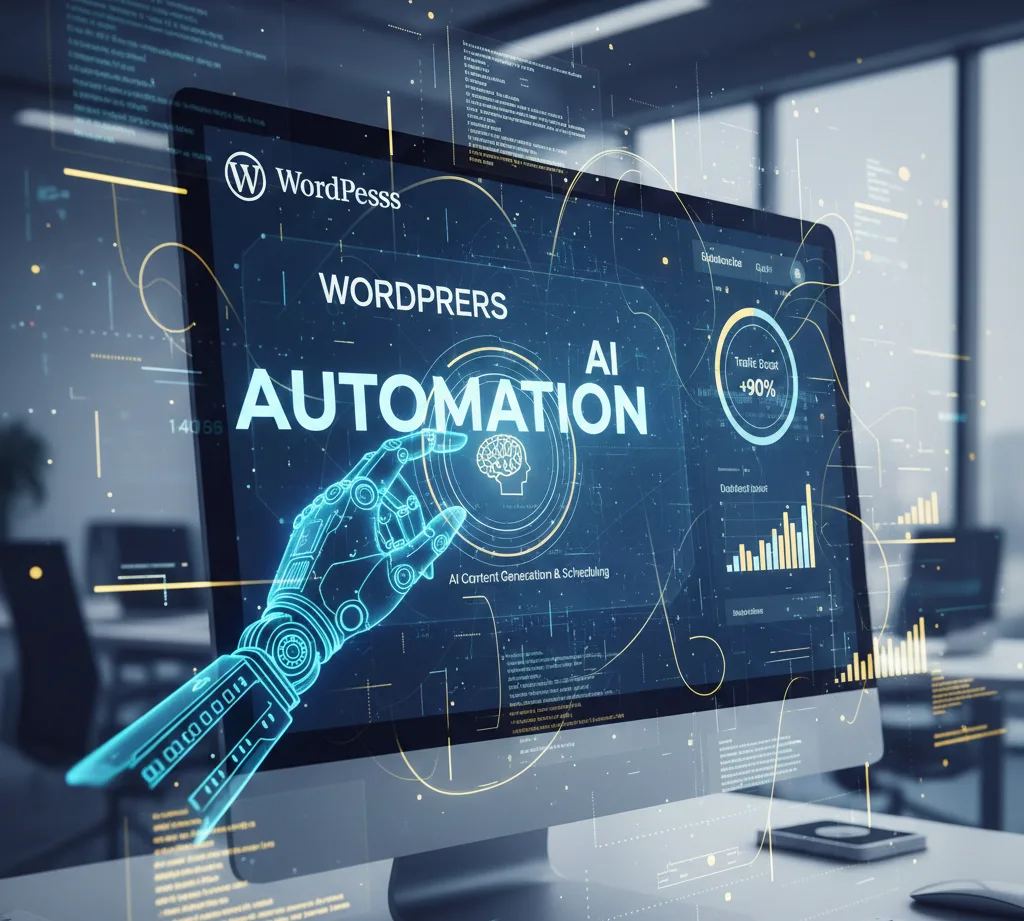
AI Content Automation in WordPress
What AI Can Automate:
- Blog writing (draft → publish)
- Content rewriting & summarization
- Grammar & tone optimization
- Auto internal linking
Popular AI Content Tools:
- OpenAI (GPT models)
- Jasper
- Writesonic
- Rank Math AI Content
Why AI belongs in your WordPress stack
The case for AI is simple: recurring, pattern-based work is expensive when people do it. AI excels at patterns. Where a human spends hours creating multiple headlines, testing meta descriptions, resizing images, or tagging dozens of posts, an AI can produce variations and suggestions in seconds. But the advantage is not just speed. AI can surface ideas you might miss—long-tail keywords with intent, alternative content angles for a buyer persona, or microcopy that improves conversion rates. When deployed thoughtfully, AI reduces busywork and frees humans for strategic creative work: shaping brand voice, setting editorial direction, handling edge-case support conversations, and making final publishing decisions.
However, automation for the sake of automation is a trap. The value comes from choosing the right automations—where trust in the output is high and the cost of a mistake is low—and maintaining human oversight where nuance matters. In plain terms: let AI draft, suggest, and optimize; let humans approve, refine, and own the brand.
Core use cases for WordPress automation using AI (what delivers ROI)
AI finds practical applications across the entire site lifecycle. Below are the areas that typically yield measurable returns quickly.
Content creation and ideation
AI is a powerful assistant for ideation and first drafts. Use it to expand headlines into outlines, create multiple intro paragraphs, and produce variant titles and meta descriptions. For high-volume blogs or affiliate sites, AI-driven drafts reduce churn and let editors focus on refinement, accuracy, and unique insight.
SEO and on-page optimization
Modern Search Engine Optimization is part creative, part technical. AI automates keyword suggestion, meta tag generation, content gap analysis, and internal linking recommendations. It can also analyze user intent signals and suggest content that targets informational vs. transactional queries. This speeds up day-to-day SEO tasks while keeping pages more consistent.
Image creation and visual assets
AI tools can generate blog header images, social share graphics, and even product mockups. These assets accelerate content production, especially for smaller teams that don’t have a designer for every post. AI can also auto-tag images, add alt text, and compress images for web performance.
Chatbots and conversational UX
AI-driven chatbots on WordPress website development act as first responders for site visitors—answering FAQs, capturing leads, booking appointments, and handing off complex queries to humans. When trained properly on a site’s content and FAQs, chatbots reduce support load and convert visitors faster.
Content personalization and recommendations
AI can recommend articles, products, or offers based on behavior, session data, and historical interactions. These micro-personalizations increase session time, improve conversion rates, and create a stickier user experience.
Workflows and integrations
WordPress automation using AI works well in automation platforms (e.g., Zapier, Make, or Pabbly) to route form submissions, enrich lead data, write follow-up emails, or trigger A/B tests automatically. WordPress plugins and custom endpoints let you plug these automations into existing processes with minimal friction.
Performance and security recommendations
AI-driven monitoring tools can suggest performance fixes—lazy-loading images that should be lazy-loaded, caching rules, or CSS/JS bundling—and detect anomalous traffic or suspicious logins. Combining automated alerts with human review makes responses faster without being noisy.
Practical setup: how to add AI to a WordPress site (step-by-step, high level)
Start with small, reversible automations. Each addition should be testable and measurable. Here’s a practical progression I recommend for most sites.
- Audit and pick 1–2 high-leverage tasks to automate. Content drafting and meta generation are great starting points because they’re high-frequency, low-risk, and easy to measure.
- Choose tools that integrate with WordPress or provide clean APIs. Look for plugins or middleware that respect privacy and allow control over content editing workflows.
- Configure a sandbox environment. Never roll AI-generated content straight to a live site. Use drafts, a staging environment, or a queue plugin for manual review.
- Define human checkpoints. For example: AI drafts → human editor reviews → SEO tool checks → schedule & publish.
- Instrument everything. Add analytics events for published AI-assisted posts, track organic performance, and measure time-to-publish savings.
- Iterate. Use the data to refine prompts, gating rules, and automation frequency.
These steps keep risk manageable and maximize learning early on with WordPress automation using AI.
Balancing creativity and automation: the editorial workflow
A frequent mistake is treating AI as a substitute for editorial thinking. To avoid that, establish clear rules in your workflow that preserve uniqueness and brand voice. A good editorial workflow using AI looks like this: generate three draft variants for each article idea; have an editor select one and rewrite 20–40% to add original perspective; run the article through an SEO assistant that suggests on-page improvements; have a fact-checker verify claims and links; then publish. This preserves the human touch while dramatically reducing the time spent on initial drafting.
Editors should also maintain a living prompt library. AI outputs depend on prompts; small prompt improvements yield bigger outcomes than swapping tools. Create prompts that reflect brand tone, specify length and structure, and emphasize accuracy. Keep examples of “good” vs. “bad” outputs and update prompts when you see patterns of errors or hallucinations.
Choosing the right WordPress automation using AI for each task
Not every AI is suitable for every job. For long-form ideation and creative drafting, use models that are strong at context and narrative. For SEO analysis and keyword research, specialized tools that combine search data with content scoring perform better. For image generation, choose visual models that produce consistent styles. For chatbots, pick conversational models that support fine-tuning or knowledge base ingestion.
More important than brand names is asking three questions: does it integrate cleanly with WordPress? can I control data and privacy settings? and does it provide audit logs or explainability so humans can see why a suggestion was made? Tools that answer yes to these will be easier to adopt at scale because they respect governance and provide transparency.
Ethical and quality considerations
AI can hallucinate facts, generate biased language, or produce content that feels generic. These risks make human verification non-negotiable. Always have a fact-check step for any published claim that could impact readers’ decisions. For sites in regulated verticals—health, finance, legal—require expert review before anything goes live.
Be transparent with readers where appropriate. If content is primarily AI-assisted, a short disclosure builds trust and sets correct expectations. Also, consider copyright implications when using AI-generated images or training data; ensure the tools you use have appropriate licensing that covers commercial use.
Privacy is another concern. If you feed user data into an AI model to personalize content or answer questions, make sure you comply with privacy law and disclose processing where required.
Measuring success: KPIs that matter
When implementing AI automations, the right KPIs avoid vanity metrics and focus on business outcomes. Consider these indicators:
Organic traffic and ranking improvements for pages that were AI-assisted.
Time-to-publish and headcount hours saved in content creation.
Engagement metrics—time on page, bounce rate, scroll depth—before and after personalization.
Conversion rates on landing pages where AI wrote variant copy.
Support resolution time and ticket volume for sites using chatbots.
A/B testing is invaluable here. When you put AI-generated headlines or meta descriptions live, run experiments and use statistical significance rather than gut feeling to determine winners. Over time these tests teach both the algorithm and the editorial team which style choices resonate most with the audience.
Real-world workflow example: a seven-step automation for a content-heavy site
Imagine a medium-sized blog publishing 20 posts per month. A balanced WordPress automation using AI workflow could look like:
Idea generation: AI suggests 50 potential topics based on content gaps and trending queries.
Editorial selection: Editorial team chooses 8 topics.
Drafting: AI writes first drafts for each topic.
Human rewrite: Editors add unique insights, case studies, and correct facts.
SEO check: AI SEO tool scores the draft and suggests internal links and meta tags.
Image generation: AI creates hero images and social thumbnails.
Publishing + distribution: CMS schedules posts and triggers automation to post to social channels with AI-generated captions.
This workflow maintains human creativity and ensures content quality while shrinking the hours required to go from idea to publication.
Plugins and integrations: plug-and-play vs custom endpoints
WordPress has a rich plugin ecosystem. Many AI tools ship with WordPress plugins that let you generate content inside the editor, optimize posts before publishing, or route form submissions to AI-driven automations. For teams that prefer control, a lightweight approach is to use middleware: connect WordPress REST endpoints to AI services via Zapier, Make, or a lightweight custom lambda. This hybrid approach gives you the safety of queues and staging while ensuring the integration fits your architecture.
A plugin approach is faster to start and often more user-friendly for non-technical teams. A custom approach scales better and is easier to audit because you control the flow of data. Choose based on your team’s capacity and compliance needs.

Prompt engineering: small changes, big impact
Prompt engineering is the practical craft of shaping AI outputs. For content, be explicit: specify word count range, tone (e.g., “senior marketer tone, conversational, no jargon”), audience (e.g., “small business owners in UK”), and instruction to avoid generic lists. Include examples of the brand voice and—crucially—what to avoid. For instance, instruct the model to avoid making up statistics and require citing sources if available.
Refine prompts over time. Track which prompts produce publish-ready drafts and which require heavy editing. Save the best prompts in a shared library so every writer benefits.
Handling images: generation, optimization, and accessibility
AI-generated images accelerate content production but require care. First, define style guidelines—photorealistic, minimal flat illustrations, or consistent color palettes—so visuals feel cohesive across the site. Use AI to create base assets, then have a designer batch-process minor edits if needed. Always generate descriptive alt text (this can be AI-assisted too) to improve accessibility and SEO. Optimize images for the web (responsive sizes, lazy loading, and proper formats) so you don’t trade improved content velocity for slower pages.
Licensing matters. Confirm the image generation tool permits commercial use and that the terms fit your needs. If you modify generated images, document the changes so your team can reproduce styles for future posts.
Chatbots and conversational automation: best practices
When adding chatbots, start small. The first objective is clear: reduce repetitive support queries or capture leads. Train the chatbot on FAQs and public site content. Use a three-step escalation pattern: answer, clarify, escalate to human. Keep the bot’s personality consistent with the brand voice, but avoid too much “playful” personality for formal industries. Provide easy ways for users to request human interaction, and log conversations so you can retrain the bot with real user queries.
Measure chatbot ROI by tracking deflection rate (conversations resolved without a human), lead conversion rate, and user satisfaction. Iterate prompts and knowledge base articles regularly, using the logs to identify trending questions or missed answers.
Common pitfalls and how to avoid them
Over-reliance on AI without human verification. Mitigation: mandatory human review for factual content and regulated topics.
Blindly publishing AI-generated metadata. Mitigation: A/B test and monitor ranking changes before rolling out at scale.
Ignoring accessibility. Mitigation: auto-generate alt text but include human verification and screen-reader testing.
Data leakage and privacy issues. Mitigation: avoid sending PII to third-party models unless you control the environment and have the right agreements.
Lack of audit trails. Mitigation: log AI inputs and outputs to know what was sent and why a decision was made.
Cost vs. benefit: how to think about AI ROI
AI reduces time on repetitive tasks, but tools cost money. Instead of chasing the cheapest model, estimate savings in staff hours and improved conversion metrics to calculate ROI. For example, if AI saves an editor two hours per article and you publish 50 articles a year, that’s a substantial labor saving. Add conversion improvements from better headlines and targeted personalization, and AI’s value compounds. Start with a pilot, measure accurately, and expand the stack for tasks that show clear wins.
Example prompt templates — practical starting points
Below are compact, adaptable prompts teams can use as foundations. They’re intentionally straightforward so editors can tweak them.
Draft generation prompt (long-form article): “Write a 900–1,200 word draft for a blog post aimed at small business owners about [TOPIC]. Use a conversational yet authoritative tone, include a clear introduction, two real-world examples, and a concise conclusion. Do not invent statistics; if you use a statistic, mark it as ‘source required’.”
Meta description prompt: “Create three meta descriptions, each 140–160 characters, for a blog titled ‘[TITLE]’. Include the primary keyword [KEYWORD] and a call to action in one variant.”
Image alt text prompt: “Write a short, descriptive alt text (max 125 characters) for an image showing [IMAGE DESCRIPTION]. Include the phrase [KEYWORD] if relevant.”
These templates keep outputs consistent and allow editors to tune quickly.
Governance: who owns AI content and how to audit it
Define ownership and accountability. The editorial team owns voice and accuracy; developers own integrations and data flows; legal or compliance reviews content only when necessary. Maintain a content log that stores AI prompts, outputs, the editor who approved the content, and a timestamp. This log is invaluable if you ever need to trace a claim or revert a set of automations.
A brief hypothetical case study
Consider a niche travel blog that used to publish five posts a month with one in-house writer. After adding an AI-assisted workflow, they expanded to 18 posts per month. AI generated drafts and image templates; the writer edited and added personal trips and interviews. Within six months, organic traffic doubled on long-tail queries, time-to-publish fell 60%, and ad revenue increased accordingly. The team credits success to a strong editorial gate—humans ensured authenticity and local insights—while AI handled structure and repetitive tasks.
This example isn’t just about speed. It’s about enabling deeper, human-led coverage because the heavy-lifting of first drafts and visuals became automated.
Future trends to watch
Expect AI to shift from assistance to orchestration. Instead of just generating text or images, AI systems will coordinate across tools—scheduling content, optimizing headlines based on real-time performance, and automatically tweaking personalization strategies. Voice search and multimodal content will grow; content managers will think in terms of experiences rather than standalone posts. Finally, regulations and platform policies will evolve, pushing teams to adopt better provenance tracking (who created what and when).
Quick checklist for launching AI automations on WordPress
- Pick one high-frequency task to automate first.
- Use a staging environment and drafts for review.
- Define human approval gates.
- Track performance and time savings.
- Keep logs of prompts and outputs.
- Audit privacy and licensing.
- Iterate and expand only where you see measurable ROI.
This short checklist keeps launches focused and safe, WordPress Automation using AI.
Final thoughts: human + AI is not a compromise — it’s leverage
AI is a multiplier when combined with skilled humans. It handles the heavy, mechanical parts of content operations, while humans contribute judgment, creativity, and moral reasoning. The best teams will build workflows where AI suggests and humans decide. This hybrid approach scales reliably, preserves brand integrity, and keeps readers at the center.
If you’re ready to begin, start with a single automation and treat it like an experiment: measure, learn, and expand. Done correctly, AI doesn’t replace your team; it elevates it.
Would you like a tailored plan for your WordPress Automation using AI site? I can outline a three-month AI adoption roadmap—covering tools, prompts, workflow templates, and KPIs—based on your site’s current content volume and team size. Tell me whether your site focuses on eCommerce, blogging, services, or lead gen, and I’ll draft a customized roadmap you can implement right away.
Is AI-generated content safe for SEO in WordPress Automation Using AI?
Yes, WordPress Automation Using AI, when reviewed and adapted by humans. Search engines reward useful, original content. Purely AI-generated, low-value pages risk poor rankings or manual penalties if they lack originality or value.
Will AI make my site slower?
Not if you optimize. AI-generated images should still be compressed and served responsively. Also avoid embedding bulky scripts from third-party tools directly on every page.
How much does it cost for WordPress Automation Using AI?
Costs vary with the tool, volume, and integrations. Start small with a pilot budget and scale based on measurable gains.
Can I trust AI for factual content?
No—always verify facts. AI can confidently state incorrect information. Use it for drafting and structuring but validate facts before publishing.
Which tasks should remain human-only?
Strategic editorial direction, brand voice creation, legal and regulated content, and writing that relies on unique first-hand experience.
How do I measure the success of AI on my site?
Track organic traffic lift, time-to-publish savings, conversion rate changes, engagement metrics, and support deflection for chatbots.
Will AI replace my content team?
Unlikely. AI changes roles—editors shift to higher-value work, focusing on analysis, interviews, and deep reporting.
What about privacy and user data?
Avoid sending personal identifiable information (PII) to third-party models without appropriate safeguards, contracts, or privacy notices.
Should I disclose AI usage?
Transparency builds trust. Consider a small disclosure note on AI-assisted articles or an editorial policy page describing your process.
What’s the fastest win from AI on WordPress?
Automating meta descriptions and headline variants, paired with A/B testing, often provides quick, measurable uplift.
WordPress Automation Using AI: Practical Guide For 2026, WordPress Automation Using AI: Build Smarter, Faster, Scalable Websites In 2026, WordPress Automation Using AI: Build Smarter, Faster, High-Performing Websites In 2026, WordPress Automation Using AI: Build Smarter, Faster, Scalable Websites In 2026, WordPress Automation Using AI: Create Smarter, Faster, Future-Ready Websites in 2026, WordPress Automation Using AI:
Build Smarter, Faster, Intelligent Websites in 2026, WordPress Automation Using AI: The Proven Way to Build Smarter, Faster Websites in 2026, WordPress Automation Using AI: A Powerful Guide to Smarter, Faster Websites in 2026,
WordPress Automation Using AI: The Smartest Way to Build Faster Websites in 2026, how to automate WordPress using AI, AI tools for WordPress website automation, best AI plugins for WordPress, AI automation for WordPress blogs, WordPress automation with artificial intelligence, AI-based workflow automation in WordPress, WordPress AI automation for agencies, AI content generation for WordPress websites