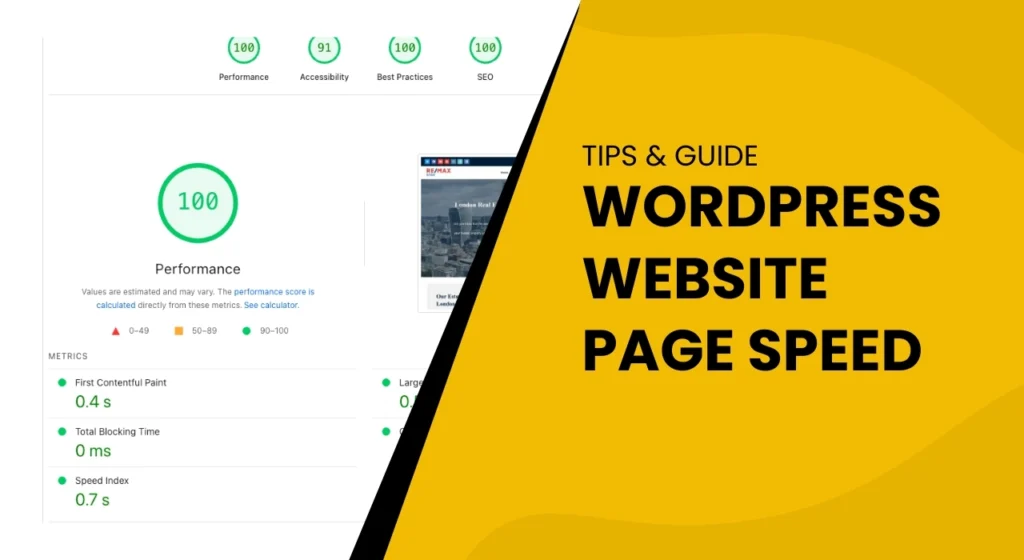
In today’s fast-paced digital landscape, users expect websites to load in the blink of an eye. If your WordPress site is lagging, you risk losing valuable visitors and potential customers. But don’t worry—enhancing your WordPress Website Page Speed is within reach! This article will guide you through essential tips to unlock blazing-fast load times, transforming your website into a speed machine. From optimizing images to leveraging browser caching, we’ll cover techniques that are both effective and easy to implement. With a few smart adjustments, you can drastically improve user experience, boost search engine rankings, and keep your audience engaged longer. Ready to supercharge your website? Let’s dive in and unleash the full potential of your WordPress site! Moreover, the importance of WordPress Website Page Speed cannot be overstated.
Understanding the Importance of WordPress Website Page Speed
In the digital age, the speed at which your website loads is more critical than ever. With so much competition online, users have become increasingly impatient with slow-loading websites. Studies have shown that if a website takes more than three seconds to load, over half of the visitors will abandon it. This high bounce rate can lead to lost sales, decreased user engagement, and a tarnished brand reputation. Therefore, ensuring your WordPress website loads quickly is paramount to retaining your audience and driving conversions.
Understanding your site’s WordPress Website Page Speed is crucial for your business.
Moreover, WordPress Website page speed is not just about user experience; it also plays a crucial role in search engine optimization (SEO). Search engines like Google consider load times when ranking websites. Faster websites are often rewarded with higher rankings, which can lead to more organic traffic. Conversely, slow websites can be penalized, making it harder for potential visitors to find you. Hence, improving your website’s load speed is not just a technical concern but a strategic business move.
By keeping an eye on your WordPress Website Page Speed, you can make necessary adjustments to improve user satisfaction.
In addition to user experience and SEO, page speed also affects your website’s accessibility. A faster website ensures that users with slower internet connections or older devices can still access your content without frustrating delays. This inclusivity can help broaden your audience and ensure that your website is welcoming to all users. By focusing on WordPress Website page speed, you are making your site more efficient, user-friendly, and accessible, which can ultimately lead to higher satisfaction and loyalty among your visitors.
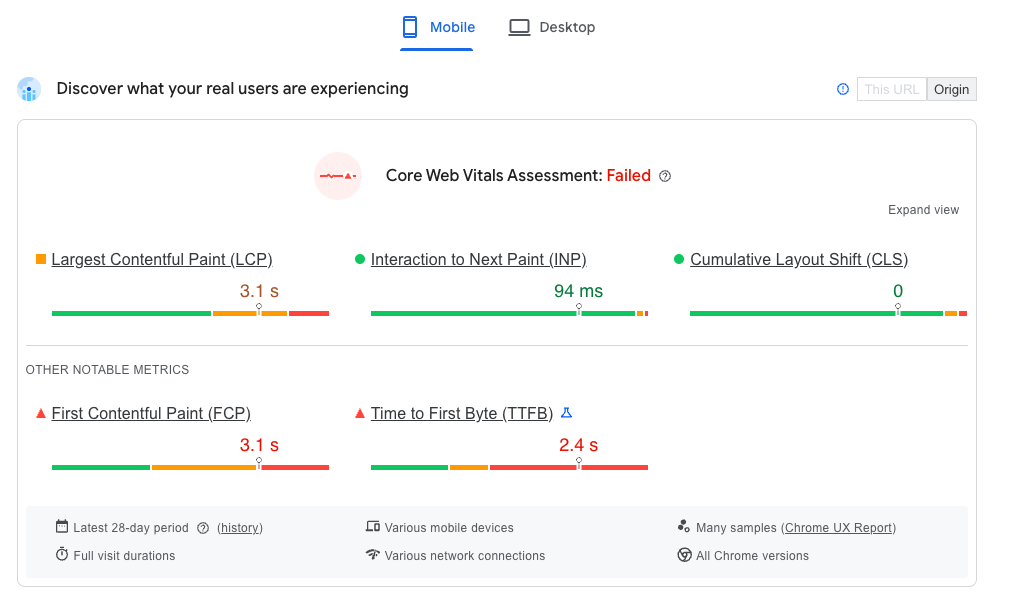
Utilizing tools to measure your WordPress Website Page Speed allows you to gauge performance accurately.
When optimizing images, always consider the effect on your WordPress Website Page Speed.
Reducing the number of plugins can positively impact your WordPress Website Page Speed.
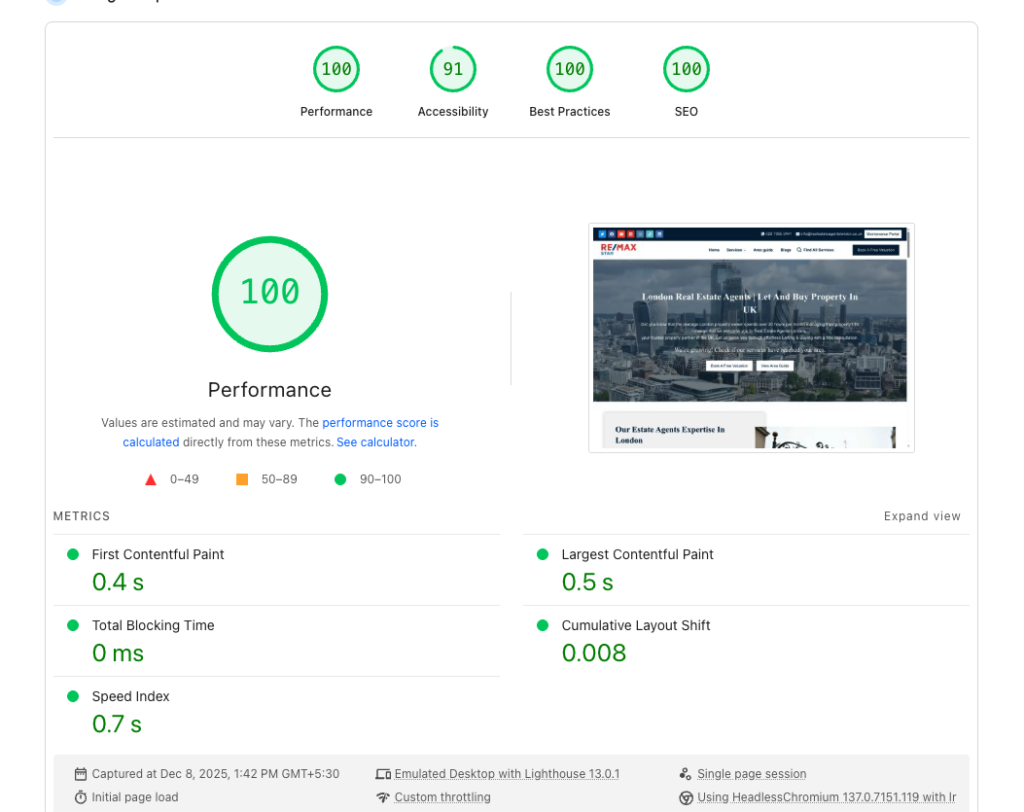
Measuring your WordPress Website Page Speed is the first step in the optimization process.
Factors Affecting WordPress Website Page Speed Load Times
Several factors can influence the load times of your WordPress website, and identifying these can help you target areas for improvement. One of the primary factors is the quality of your hosting service. Shared hosting environments, in particular, can lead to slower load times due to resource limitations and server congestion. Upgrading to a dedicated or managed WordPress hosting service can significantly improve performance.
Another factor is the size and optimization of your images and media files. Large, uncompressed images can take a long time to load, significantly slowing down the entire page. Using image optimization techniques, such as compressing files without losing quality, can greatly enhance load times. Additionally, the number of HTTP requests your site makes can impact performance. Each element of your site—images, scripts, CSS files—requires an HTTP request, and reducing the number of these requests can lead to faster load times.
The use of plugins and themes also affects your website’s speed. While plugins add functionality to your site, too many of them can bloat your website and slow it down. It’s essential to use only necessary plugins and ensure they are well-coded and regularly updated. Similarly, the choice of theme can impact load times. Opt for lightweight, performance-optimized themes instead of feature-heavy options that may look appealing but can hinder speed.
How to Measure Your WordPress Website Page Speed
Before you can improve your WordPress website’s page speed, you need to measure it accurately. Several tools are available to help you gauge your site’s performance. Google PageSpeed Insights is one of the most popular tools, offering detailed insights into both mobile and desktop performance. It provides a score out of 100, along with specific recommendations for improvement. This tool is particularly useful because it aligns with Google’s ranking criteria, helping you optimize for better SEO.
Another valuable tool is GTmetrix, which analyzes your website’s speed and provides a comprehensive report, including page load time, total page size, and the number of requests. GTmetrix also offers recommendations for improvement, categorized by priority. This tool is beneficial for understanding the specific elements that are slowing down your site and how to address them. Additionally, it allows you to test your site from different locations, providing a global perspective on your website’s performance.
WebPageTest is another excellent tool for measuring WordPress website page speed. It offers advanced testing options, such as simulating different network speeds and devices. This tool provides a detailed breakdown of your site’s loading process, highlighting areas where you can make improvements. By using these tools, you can gain a clear understanding of your website’s current performance and identify specific areas where optimization is needed. Regularly testing your site ensures that you can monitor improvements and maintain optimal performance over time.
Optimizing Images for Faster Load Times
Images are often the heaviest elements on a webpage, and optimizing them can lead to significant improvements in load times. The first step in image optimization is to ensure that you are using the correct image format. For most purposes, JPEG is ideal for photographs due to its balance of quality and file size. PNG is better for images with transparency or simple graphics. WebP is a newer format that offers superior compression and quality, making it an excellent choice for web images.
Once you’ve chosen the right format, the next step is to compress your images. Compression can reduce the file size without significantly affecting visual quality. Tools like TinyPNG or ImageOptim can help with this process. Additionally, you can use WordPress plugins like Smush or ShortPixel to automatically compress images as you upload them. These plugins can also optimize existing images in your media library, ensuring that all your site’s images are as lightweight as possible.
Another important aspect of image optimization is properly scaling your images. Uploading images that are larger than necessary can waste bandwidth and slow down your site. Ensure that your images are no larger than the dimensions they will be displayed at on your site. You can use CSS or HTML to define the maximum width and height of images, ensuring they are appropriately scaled for different devices. By combining the right format, compression, and scaling, you can significantly reduce the impact of images on your page load times.
Leveraging Caching Plugins for Enhanced Performance
Caching can dramatically improve your website’s load times by storing static versions of your site and serving them to visitors, reducing the need for repeated database queries and server processing. WordPress offers several caching plugins that can help you implement this technique easily. One of the most popular options is W3 Total Cache, which provides a comprehensive set of features, including page caching, browser caching, and object caching.
Another excellent caching plugin is WP Super Cache, which generates static HTML files from your dynamic WordPress site. These static files are served to the majority of your users, reducing the load on your server and speeding up your site. WP Rocket is another powerful option, known for its user-friendly interface and effective caching capabilities. It includes features such as lazy loading of images, database optimization, and integration with content delivery networks (CDNs).
When using caching plugins, it’s important to regularly clear the cache to ensure that visitors see the most up-to-date content. Most plugins offer automatic cache clearing options that can be scheduled to run at specific intervals. Additionally, be aware that caching plugins may sometimes conflict with other plugins or themes, so it’s crucial to test your site thoroughly after installing and configuring a caching plugin. By leveraging these tools, you can significantly enhance your website’s performance and provide a faster, smoother experience for your visitors.
Minimizing HTTP Requests to Speed Up Your Site
Every time a user visits your website, their browser makes multiple HTTP requests to load all the elements on the page, such as images, stylesheets, scripts, and fonts. The more requests that are made, the longer it takes for the page to load. Therefore, reducing the number of HTTP requests is a key strategy for speeding up your site. One effective way to do this is by combining files. For example, you can merge multiple CSS or JavaScript files into a single file, reducing the number of requests.
Another technique is to use CSS sprites, which combine multiple images into a single file. By doing so, the browser only needs to make one request to load all the images, instead of multiple requests for each individual image. This approach is particularly useful for icons and other small graphics that are used repeatedly throughout your site. Additionally, you can optimize the loading of third-party scripts and resources, such as social media widgets or analytics tools, by loading them asynchronously or deferring their loading until after the main content has loaded.
Lazy loading is another powerful technique that can help minimize HTTP requests. With lazy loading, images and other media are only loaded when they come into the viewport, rather than loading all at once when the page is first accessed. This can significantly reduce the initial load time, especially for pages with a lot of images or embedded videos. By implementing these strategies, you can reduce the number of HTTP requests and enhance the overall performance of your WordPress site.
A CDN can significantly affect your WordPress Website Page Speed.
Choosing the Right Hosting Provider for Speed
Integrating a CDN is a strategic move to enhance your WordPress Website Page Speed.
The hosting provider you choose can have a significant impact on your website’s speed and performance. Shared hosting plans, while cost-effective, often result in slower load times due to the shared resources among multiple websites. Upgrading to a dedicated server or a managed WordPress hosting plan can provide better performance and reliability. Managed WordPress hosts, such as WP Engine or Kinsta, offer optimized environments specifically tailored for WordPress, ensuring faster load times and better security.
Regular updates will ensure your WordPress Website Page Speed remains optimal. By cleaning your database regularly, you can maintain your WordPress Website Page Speed.
Monitoring your site’s performance includes tracking the WordPress Website Page Speed.
By following these essential tips on WordPress Website Page Speed, you can ensure optimal performance.
When selecting a hosting provider, consider factors such as server location, uptime guarantees, and customer support. Server location is important because the closer the server is to your users, the faster the data can travel between the server and the user’s browser. Many hosting providers offer multiple data center locations, allowing you to choose the one closest to your primary audience. Uptime guarantees ensure that your website remains accessible, while reliable customer support can help resolve any issues quickly, minimizing downtime.
Implementing caching solutions will further enhance your WordPress Website Page Speed.
The importance of maintaining WordPress Website Page Speed cannot be overstated.
Additionally, look for hosting providers that offer built-in caching solutions, content delivery network (CDN) integration, and scalable resources. Built-in caching can improve load times by storing static versions of your site, while CDN integration can distribute your content across multiple servers worldwide, reducing latency. Scalable resources ensure that your hosting plan can accommodate traffic spikes without compromising performance. By choosing the right hosting provider, you can lay a strong foundation for a fast, reliable, and high-performing WordPress site.
Utilizing Content Delivery Networks (CDNs)
A Content Delivery Network (CDN) is a powerful tool that can significantly improve your website’s load times by distributing your content across multiple servers around the world. When a user accesses your site, the CDN serves the content from the server closest to their location, reducing latency and speeding up load times. This is particularly beneficial for websites with a global audience, as it ensures that all users experience fast load times, regardless of their geographical location.
Popular CDNs, such as Cloudflare, MaxCDN, and Amazon CloudFront, offer various features to enhance performance and security. For example, Cloudflare provides caching, load balancing, and protection against Distributed Denial of Service (DDoS) attacks. Integrating a CDN with your WordPress site is relatively straightforward, with many hosting providers offering easy integration options. Additionally, some CDNs offer free plans, making them accessible for websites of all sizes.
When setting up a CDN, it’s important to configure it correctly to ensure optimal performance. This includes setting appropriate cache rules, enabling gzip compression, and optimizing DNS settings. Regularly monitoring and testing your CDN setup can help identify any issues and ensure that your site continues to perform at its best. By leveraging a CDN, you can provide a faster, more reliable experience for your users, improving both user satisfaction and search engine rankings.
Regular Maintenance and Updates for Optimal Performance
Maintaining a fast and efficient WordPress site requires regular maintenance and updates. Outdated plugins, themes, and core files can introduce security vulnerabilities and cause performance issues. Keeping your WordPress installation, themes, and plugins up to date ensures that you benefit from the latest performance improvements, security patches, and new features. Regular updates also help prevent compatibility issues that can arise from using outdated software.
In addition to updates, regular database optimization is essential for maintaining optimal performance. Over time, your WordPress database can become cluttered with unnecessary data, such as post revisions, spam comments, and transient options. Using plugins like WP-Optimize or WP-Sweep can help clean up and optimize your database, improving load times and reducing the overall size of your database. Additionally, regularly backing up your site ensures that you can quickly restore it in case of any issues or data loss.
Regularly monitoring your site’s performance is also crucial for identifying and addressing any issues that may arise. Using tools like Google Analytics, Google Search Console, and performance monitoring plugins can help you track your site’s performance, identify slow-loading pages, and pinpoint areas for improvement. By staying proactive with maintenance and updates, you can ensure that your WordPress site remains fast, secure, and efficient, providing the best possible experience for your users.
Conclusion: Taking Action for a Faster WordPress Website Page Speed
Improving your WordPress website’s page speed is not a one-time task but an ongoing process that requires attention and regular maintenance. By understanding the importance of page speed and the factors that affect it, you can make informed decisions to enhance your site’s performance. Measuring your website’s speed using tools like Google PageSpeed Insights, GTmetrix, and WebPageTest provides valuable insights and benchmarks to guide your optimization efforts.
Optimizing images, leveraging caching plugins, and minimizing HTTP requests are effective strategies for reducing load times and enhancing user experience. Choosing the right hosting provider and utilizing a Content Delivery Network (CDN) further ensures that your website performs well under various conditions and traffic levels. Regular maintenance, including updates and database optimization, keeps your site running smoothly and securely.
By implementing these essential tips, you can unlock blazing-fast load times, improve user satisfaction, and boost your search engine rankings. A faster website not only enhances the user experience but also contributes to better engagement, higher conversion rates, and long-term success. Take action today to optimize your WordPress site and unleash its full potential, providing a seamless and enjoyable experience for your visitors.